

We checked 500+ crypto sites to figure out why some projects show up when someone asks ChatGPT or Perplexity for a recommendation, and others don’t exist as far as the AI is concerned. The pattern was consistent: it’s rarely one catastrophic mistake. It’s usually two or three small, fixable problems stacking on top of each other.
Below are the 12 most common ones, grouped into the four areas that actually matter: whether AI crawlers can reach your site, whether your content is structured to be quoted, whether your structured data tells machines what they’re looking at, and whether your infrastructure is fast and complete enough to be worth crawling in the first place.
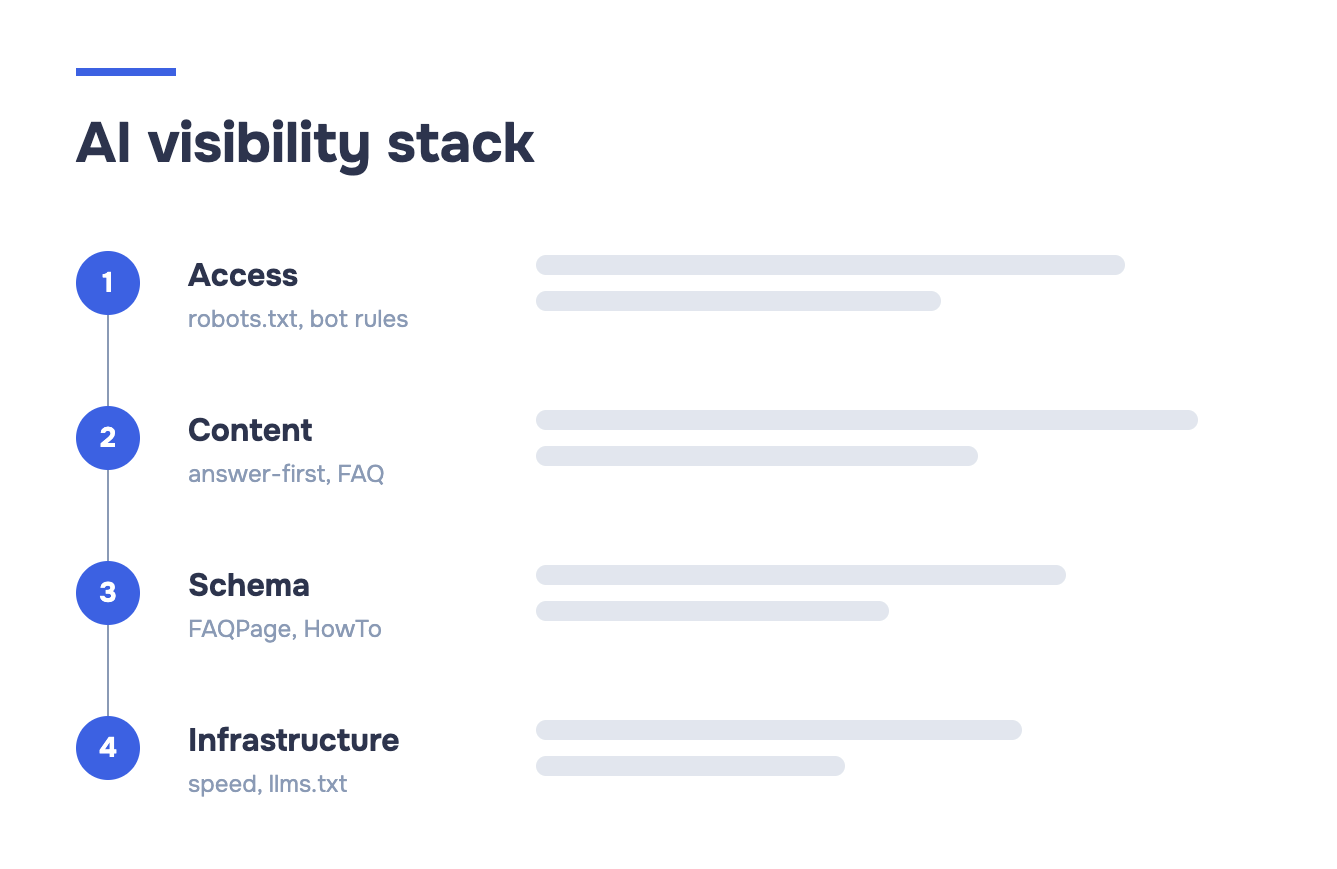
Go through this list against your own site. Most projects fail at least three of these without knowing it.
AI Access Control
Before an AI system can cite you, its crawler has to actually get in. This is the layer most teams never check, because it doesn’t show up in Google Search Console and it doesn’t break your site for human visitors. It just quietly keeps you invisible.
1. GPTBot Is Blocked
Plenty of crypto sites lock down their robots.txt aggressively after getting hit by scraper bots or content thieves, and GPTBot gets caught in the blast radius. If your robots.txt has a blanket Disallow: / rule, or a rule specifically targeting GPTBot, OpenAI’s crawler can’t index a single page of your site — which means ChatGPT has no way to have “read” your content, let alone cite it.
Fix: Open your robots.txt and explicitly allow GPTBot:
User-agent: GPTBot
Allow: /
If you blocked it deliberately to protect against training-data scraping, understand the tradeoff: blocking GPTBot keeps your content out of future model training, but it also removes you from what ChatGPT can retrieve live via browsing. For most crypto projects trying to get discovered, visibility wins.
2. OAI-SearchBot Missing from robots.txt
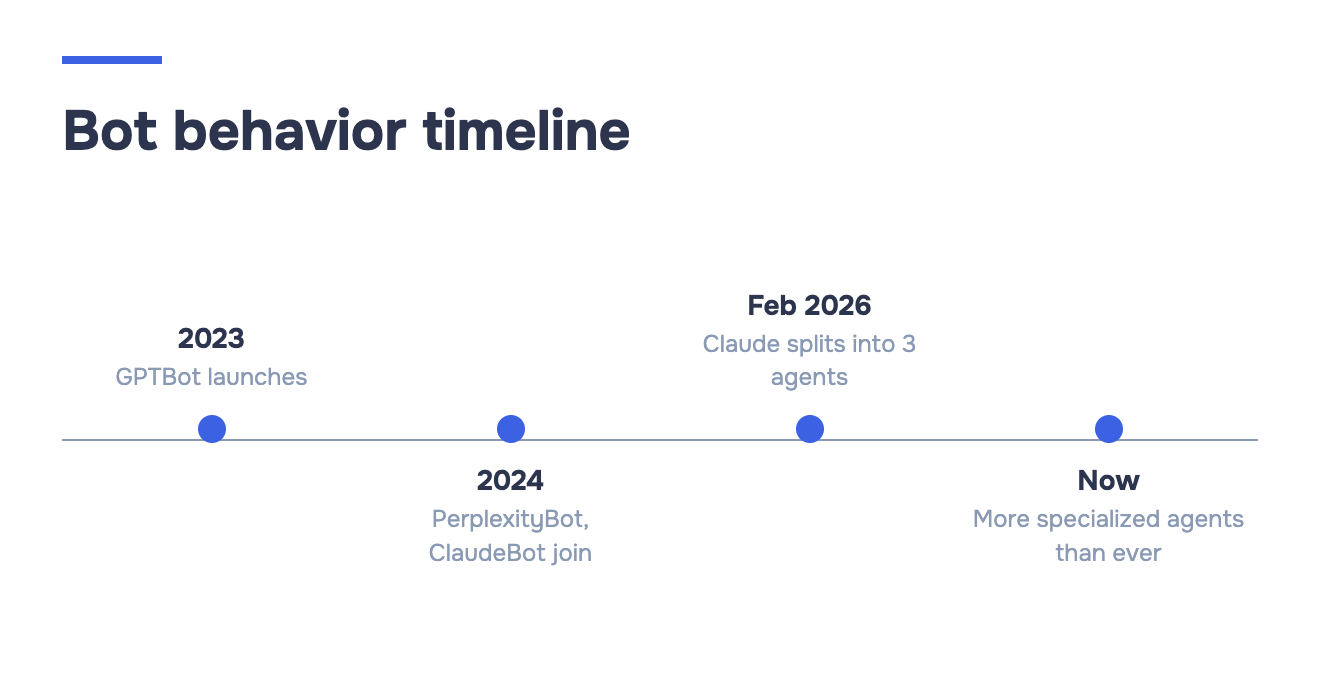
This one trips people up because it looks like the same bot as above — it isn’t. GPTBot handles training-data collection. OAI-SearchBot is the crawler behind ChatGPT’s live search and browsing feature, and it needs its own explicit allowance. A site can permit GPTBot and still be dark to OAI-SearchBot, which means ChatGPT can talk about you in general terms but can’t pull your current pages when someone asks a live question.
Fix: Add a separate rule:
User-agent: OAI-SearchBot
Allow: /
Do the same for Perplexity’s crawler (PerplexityBot) and Anthropic’s (ClaudeBot / Claude-User) if you want coverage across assistants, not just ChatGPT. If you’re not sure which bots belong on your allow list versus your block list, this breakdown of every major AI crawler covers what each one actually does and the exact robots.txt line to control it.
3. Cloudflare Bot Fight Mode Is Blocking AI Crawlers
If your site sits behind Cloudflare, there’s a good chance “Bot Fight Mode” or the more aggressive “Super Bot Fight Mode” is switched on by default. These settings are built to stop malicious scrapers and credential-stuffing bots, and they’re not smart enough to distinguish between a scraper trying to steal your content and OAI-SearchBot trying to answer a user’s question about your token.
The result: your robots.txt says AI crawlers are welcome, but Cloudflare is challenging or outright blocking them at the network layer before they ever read that file.
Fix: In the Cloudflare dashboard, go to Security → Bots and add explicit allow rules for known AI user agents (GPTBot, OAI-SearchBot, ClaudeBot, PerplexityBot, Google-Extended). Check your Cloudflare firewall event log for 403s against these user agents — that log will tell you immediately if this is happening to you.
Content Structure
Getting crawled is step one. Step two is giving the AI something worth quoting once it’s there. This is where a surprising number of otherwise well-built crypto sites lose the plot — the information exists somewhere on the page, but not in a form a language model can lift cleanly into an answer.
4. No Direct Answer in the First 200 Words
AI systems, like most search engines, weight the opening of a page heavily. If your homepage or “About” page opens with three paragraphs of brand narrative — “founded in 2023 by a team of blockchain veterans passionate about decentralization” — before it ever says what your project actually does, you’re asking the AI to dig for the answer instead of handing it one.
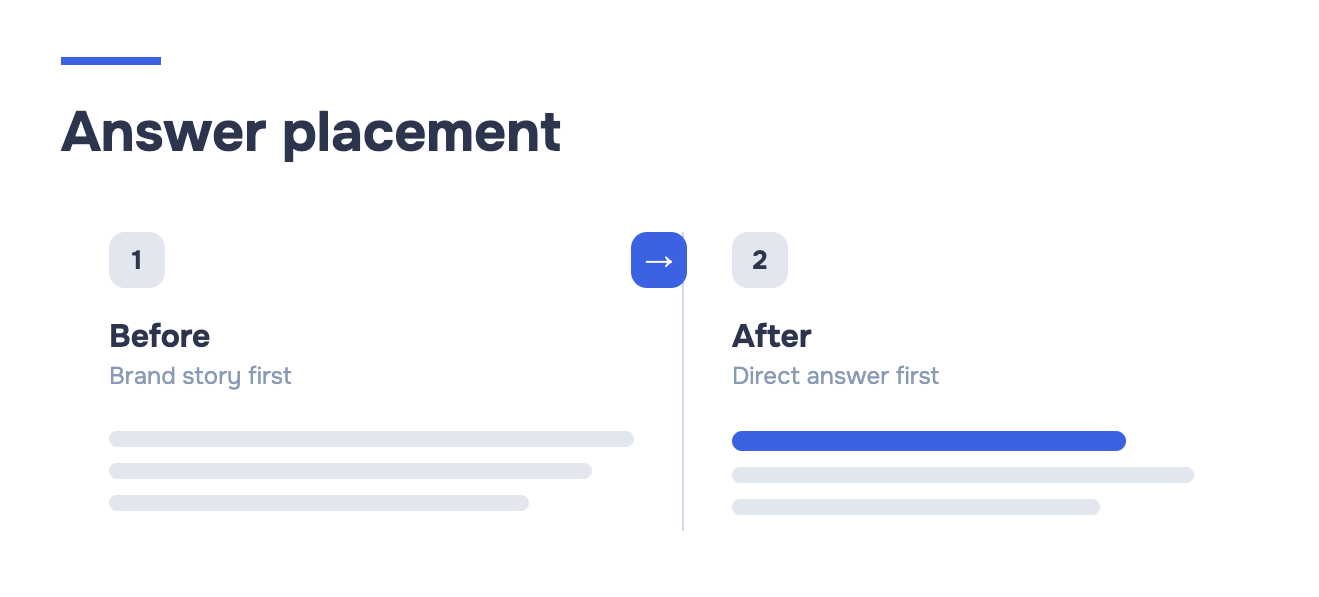
Fix: Lead with the plain-English answer to the question someone would type into ChatGPT. If you’re a Layer 2 scaling solution, say that in the first sentence, not the fourth paragraph. Save the founding story and mission statement for below the fold.
5. Headings Don’t Match What People Actually Ask
Marketing-driven headings like “Our Vision” or “The Future of Finance” look fine to a human skimming a landing page. They’re close to useless to an AI trying to match a heading to a user’s question. If someone asks ChatGPT “how do I stake [your token],” and your relevant section is titled “Ecosystem Rewards,” the connection isn’t automatic — the model has to infer it, and inference is where you lose citations to a competitor who just titled their section “How to Stake.”
Fix: Write headings as the questions your audience is actually asking, or close to it: “How to Stake [Token],” “Is [Project] Audited,” “What Gas Fees Does [Chain] Charge.” You can still have a creative tagline — just don’t make it carry the informational weight of the heading.
6. No FAQ Section
This is the single most fixable item on this list, and probably the most commonly skipped. An FAQ section is, structurally, a list of question-answer pairs — which is exactly the shape an AI model is trying to extract from your content in the first place. Skip the FAQ and you’re forcing the model to reconstruct that Q&A pairing from prose. Include one, and you’ve done half its work for it.
Fix: Add a dedicated FAQ section covering the actual questions your community asks in Discord and Telegram — token unlock schedules, bridge mechanics, audit status, chain support. Real questions, not softballs.
Structured Data
Content structure helps a model understand your page. Structured data (schema markup) tells it explicitly, in a format it doesn’t have to guess at. This is the layer most crypto teams have never touched, because it has zero visible effect on how the page looks to a human visitor — for a fuller look at how structured data feeds AI visibility, it’s worth understanding the mechanics before you start adding schema at random.
7. No FAQPage Schema
Writing an FAQ section in plain HTML helps, but wrapping it in FAQPage schema (via JSON-LD) is what lets AI systems and search engines lift individual Q&A pairs as standalone, citable answers — sometimes even as a rich result in Google before a user clicks through at all. Without the schema, your FAQ is just text; with it, each question becomes its own indexable unit.
Fix: Add JSON-LD FAQPage markup matching the questions and answers already on the page. Google’s Rich Results Test and Schema.org’s validator will both confirm it’s implemented correctly. If you want copy-paste-ready markup rather than building it from scratch, this guide to FAQ, Article, and Organization schema covers the JSON-LD for all three.
8. No Organization Markup
Organization schema is how you tell AI systems, unambiguously, who you are: legal name, logo, official social profiles, founding date. Without it, a model piecing together an answer about “who’s behind this project” is relying on scattered mentions across your site and third-party sources — which is exactly how misinformation about a project’s team or legitimacy spreads. It’s also a factor AI systems weigh when deciding whether a source is trustworthy enough to cite for anything finance-adjacent, which crypto inherently is.
Fix: Add Organization schema to your homepage with sameAs links to your verified Twitter/X, GitHub, and Discord. This is a 20-minute task with disproportionate payoff for a sector where trust signals matter as much as they do here.
9. No HowTo Schema Where You Have Step-by-Step Instructions
If your site has a “How to Bridge Assets” or “How to Claim Your Airdrop” guide written as numbered steps, but that content isn’t marked up as HowTo schema, you’re leaving the exact kind of content AI assistants love to surface as a direct, step-by-step answer sitting unrecognized as plain paragraphs.
Fix: Wrap any genuinely sequential, instructional content in HowTo schema. Don’t force it onto content that isn’t actually a process — a token’s tokenomics breakdown isn’t a “how to.”
Technical Infrastructure
The last category is the one people assume doesn’t matter for AI visibility because it’s “just” performance and crawling infrastructure. It matters more than most teams realize, because AI retrieval agents behave a lot like impatient users: if a page is slow or hard to parse, they move on rather than wait.
10. Slow Page Load Times
AI retrieval agents operate under tight time budgets when they’re fetching a page to answer a live query — they’re not going to sit through a 6-second load caused by an unoptimized hero video or a bloated JavaScript bundle. If your site takes too long to respond, some AI crawlers will simply time out and skip it, and you never even find out it happened because there’s no error message for “the AI got bored.”
Fix: Run your key pages through PageSpeed Insights or a similar tool. Compress images, defer non-critical scripts, and get your Largest Contentful Paint under control. This is standard performance hygiene, but crypto sites — often heavy on animation and live price widgets — tend to skip it.
11. No llms.txt File
llms.txt is a newer convention, placed at your site’s root, that gives AI systems a curated, plain-text map of your most important pages and what they contain — essentially a sitemap written for language models instead of search engine crawlers. It’s not yet universally adopted or guaranteed to be read by every AI system, but for a fast-moving space like crypto where documentation and tokenomics pages change often, it’s a low-effort way to point retrieval agents straight at your most current, most important content instead of making them guess.
Fix: Add a llms.txt file at your domain root listing your key pages — docs, tokenomics, audit reports, FAQ — with a one-line description of each.
12. XML Sitemap Doesn’t Include AI-Relevant Content
A lot of crypto sites generate their sitemap automatically from a CMS template that only picks up blog posts and marketing pages — leaving out the docs subdomain, the audit report PDF, or the tokenomics page that lives on a separate app. If those pages aren’t in the sitemap, they’re less likely to be discovered and crawled at all by AI systems doing their own indexing pass, on top of whatever live browsing happens per query.
Fix: Audit your sitemap.xml against your actual site structure. Make sure documentation, audit reports, and any page that answers a real user question is included, not just landing pages built for conversion.
How to Check All 12 in 30 Seconds
Going through this list manually means checking robots.txt by hand, digging through Cloudflare’s dashboard, running a schema validator, and testing page speed separately — realistically an hour of work if you know exactly where to look, longer if you don’t.
Our AI Visibility Checker runs all 12 diagnostics against your site in about 30 seconds and tells you which ones you’re failing, in the same four categories used above: AI access control, content structure, structured data, and technical infrastructure.
Instead of guessing which of these twelve is quietly keeping your project out of ChatGPT’s answers, you get a direct list of what to fix and in what order.
If your project handles millions of dollars in user funds, being invisible to the tools people now use to research before they trust a protocol isn’t a minor SEO gap — it’s a distribution problem with real cost attached. Fix the access issues first, they’re usually one-line changes. Then work through content and schema. Infrastructure last, since it typically takes the longest but delivers the least immediate lift compared to the other three.
Frequently Asked Questions (FAQ)
Usually it’s one of three things: the AI crawler can’t reach your site at all, your content doesn’t have a clear answer for it to pull, or your site is missing the structured data that makes content easy to cite. Most projects have more than one of these problems at once, which is why a single fix rarely solves it.
Related, but not identical. Traditional SEO gets you ranked in a list of links; AI visibility gets your content pulled directly into a generated answer. A page can rank well on Google and still be invisible to ChatGPT if it’s blocking AI crawlers or missing schema markup — the two systems read your site differently.
It depends on the fix. Unblocking a crawler in robots.txt can take effect the next time that bot visits your site, sometimes within days. Structural changes like adding schema or rewriting headings take longer to show up, since the AI system needs to re-crawl and re-index the updated pages first. There’s no fixed timeline any provider publishes.
No, and this is a common point of confusion. Google’s own AI features are governed by a separate signal (Google-Extended), which is decoupled from the crawler that powers standard Search rankings. Blocking AI training crawlers doesn’t touch your position in regular Google search results.
No tool or checklist can guarantee a citation — that still depends on whether your content is the best match for a given question at the moment someone asks it. What fixing these issues does is remove the technical and structural reasons you’d be excluded before that comparison even happens.
Share with


Rate the article