





What Is Koinly and Who Is It For?
Koinly is a web-based application that calculates cryptocurrency taxes automatically. You connect your exchanges and wallets, and the software imports your transaction history, identifies taxable events, calculates gains and losses, and generates reports ready for filing.
The platform launched in 2018 and now serves over one million users across 20+ countries. It’s particularly useful for:
- Traders using multiple exchanges who need consolidated reporting
- DeFi users with staking, liquidity pools, and yield farming activity
- NFT collectors who bought, sold, or traded digital collectibles
- Long-term holders who occasionally sell and need accurate cost basis
- Accountants managing crypto tax reporting for multiple clients
Koinly integrates with 800+ platforms including Coinbase, Kraken, Binance, MetaMask, Ledger, and most major blockchains. It produces IRS Form 8949, Schedule D, and reports formatted for tax authorities in the UK, Canada, Australia, Germany, and other jurisdictions.
Koinly Referral Code: 20A3DF8F

Koinly
Crypto Tax Calculator & Portfolio Tracker Claim Discount
Who Can Use
- New users only
Tax Reports For
- US
- UK
- Canada
- Australia
- Germany
- 15 more
Your Discount
- $20 off any paid plan
How Much Does Koinly Cost?
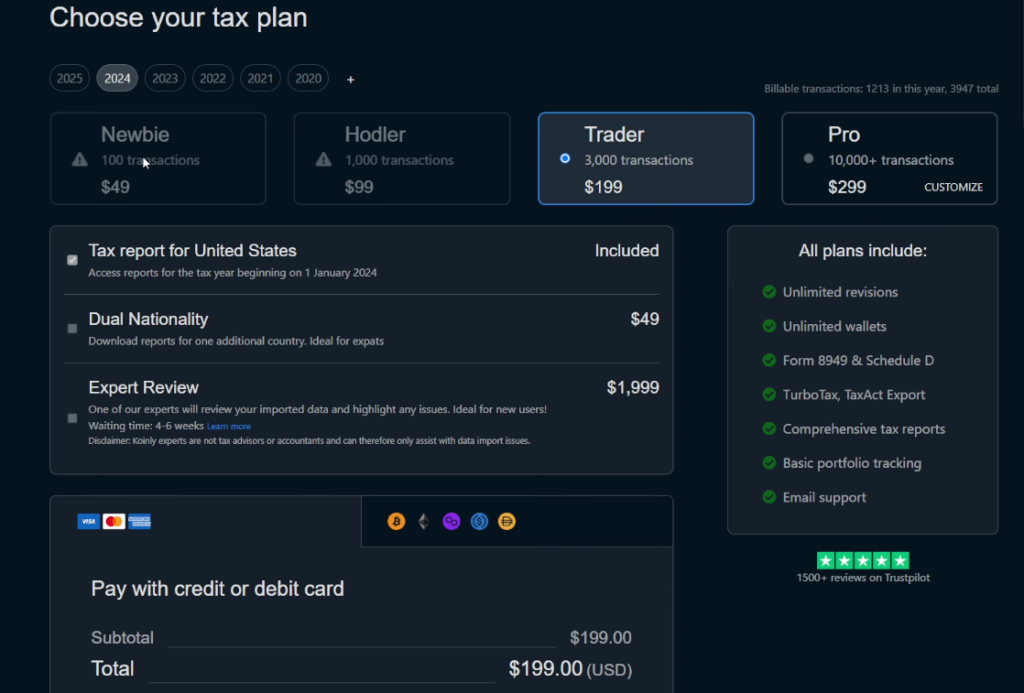
Koinly uses a tiered pricing model based on transaction volume. All plans include the same features—the only difference is how many transactions you can process.
| Plan | Regular Price | With Code 20A3DF8F | Best For |
| Free | $0 | — | Testing & portfolio tracking |
| Newbie | $49/year | $29 | <100 transactions |
| Hodler | $99/year | $79 | <1,000 transactions |
| Trader | $199/year | $179 | <3,000 transactions |
| Trader+ | $279/year | $259 | <10,000 transactions |
Key details:
- Plans are per tax year, not monthly subscriptions
- No automatic renewal—you buy only what you need
- Upgrade anytime by paying the difference
- Over 10,000 transactions? Contact Koinly for custom pricing
The free plan lets you import unlimited transactions and view your tax summary. You only pay when you’re ready to download official reports.
How to Use the Koinly Promo Code
Requirements
- New Koinly account (code doesn’t work for existing users)
- Valid for any paid plan (Newbie, Hodler, Trader, or Trader+)
- One-time use per account
Step-by-Step Instructions
1. Go to Koinly
Open koinly.io/?via=20A3DF8F in your browser. The referral is automatically tracked through this link.
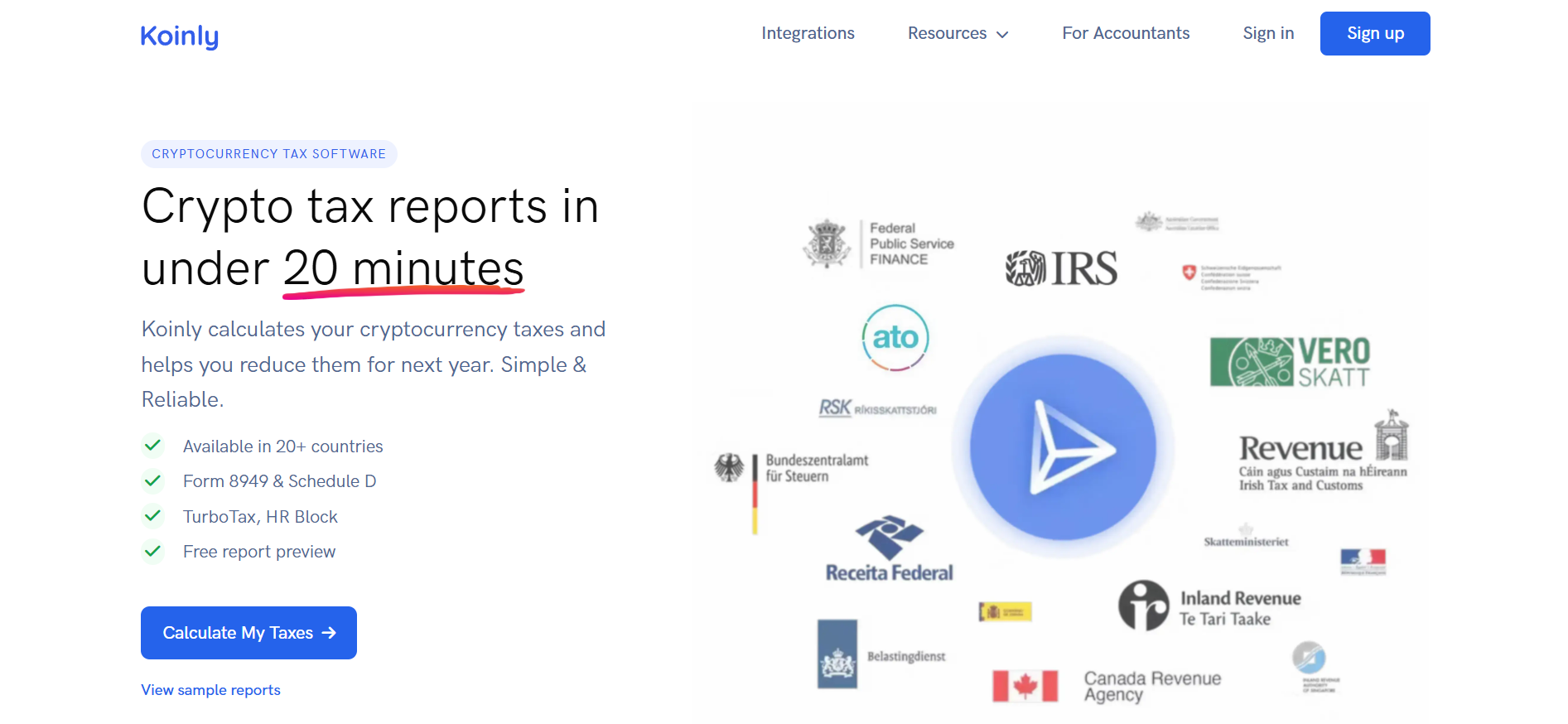
2. Create a Free Account
Click Calculate My Taxes or Sign up and register with Google, Apple, or email. No credit card required for signup.

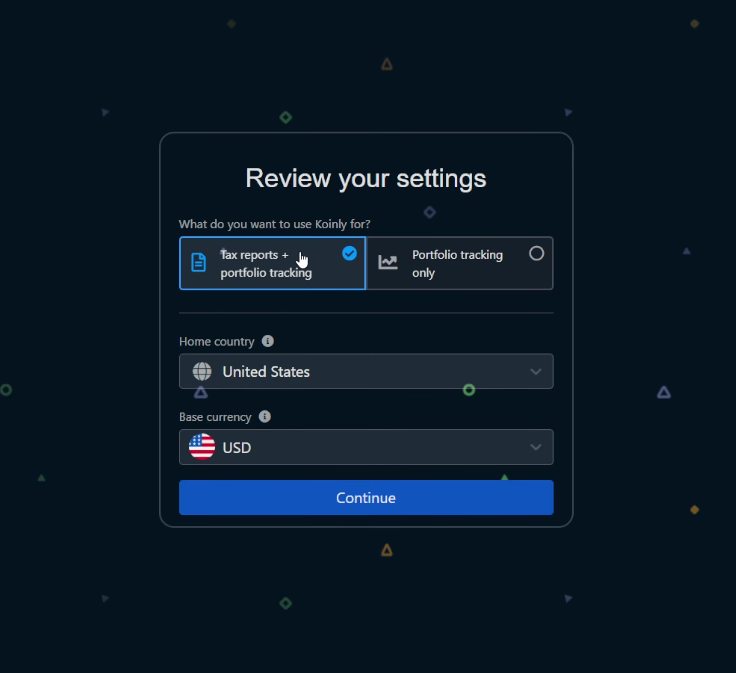
3. Select Your Country and Currency
Choose your tax residence. This determines which tax rules apply and what report formats you’ll receive.
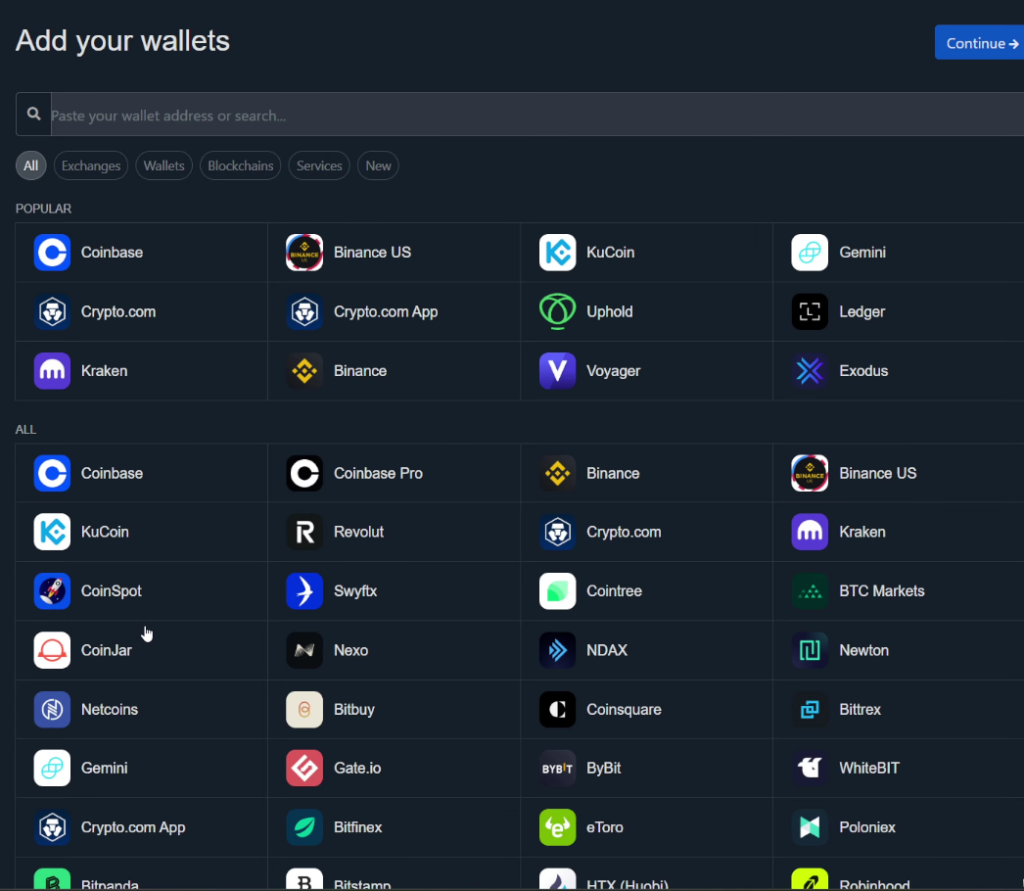
4. Connect Your Exchanges and Wallets
Go to Wallets → Add Wallet/Exchange. You have three options:
| Method | How It Works | Best For |
|---|---|---|
| API Sync | Enter read-only API keys | Major exchanges (Coinbase, Kraken, Binance) |
| Public Address | Paste wallet address | On-chain wallets (MetaMask, hardware wallets) |
| CSV Import | Upload transaction file | Exchanges without API support |
Koinly walks you through each connection with platform-specific guides.
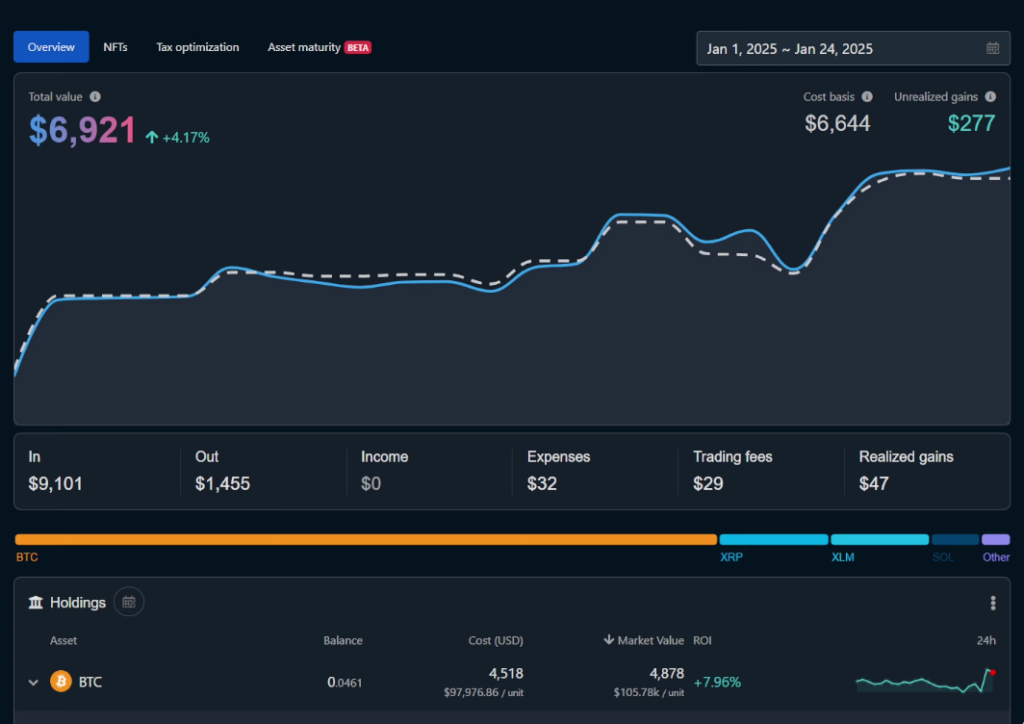
5. Review Your Data
After import, check your dashboard. Koinly shows:
- Total capital gains/losses
- Income from staking, mining, airdrops
- Transactions flagged for review
Fix any issues before generating reports. The review section highlights missing cost basis, duplicate transactions, and other problems.
6. Purchase a Plan and Apply the Code
When ready to download reports:
- Click your profile icon → Plans
- Select the plan matching your transaction count
- Find “Do you have a promo code?” below the price
- Enter:
20A3DF8F - Click Apply
- Verify the $20 discount appears
- Complete checkout
What Reports Does Koinly Generate?
Koinly produces different documents depending on your country:
🇺🇸 United States
- Form 8949 — Sales and dispositions of capital assets
- Schedule D — Capital gains and losses summary
- TurboTax/TaxAct files — Direct import format
- Complete transaction history — Audit trail
🇬🇧 United Kingdom
- HMRC Capital Gains Summary
- SA108 supporting documents
⭐ Other Countries
- 🇨🇦 Canada: Schedule 3 (Capital Gains)
- 🇦🇺 Australia: ATO Capital Gains Report
- 🇩🇪 Germany: Tax report with all relevant data
- 15+ additional countries with localized formats
All plans include unlimited report downloads for your purchased tax year.
Key Features Explained
Automatic Transaction Import
Connect via API and Koinly syncs your data automatically. Most exchanges update within minutes. You can also import CSV files or add transactions manually.
Smart Transfer Detection
Moving crypto between your own wallets isn’t taxable. Koinly identifies these transfers automatically so you don’t pay tax on internal movements.
Multiple Cost Basis Methods
Choose the calculation method required (or allowed) in your jurisdiction:
- FIFO — First In, First Out
- LIFO — Last In, First Out
- HIFO — Highest In, First Out
- Average Cost — Pooled cost basis
- Specific Identification — Choose which lots to sell
DeFi Transaction Support
Koinly handles complex DeFi activities:
- Liquidity pool deposits/withdrawals
- Yield farming rewards
- Staking income
- Token swaps on DEXs
- Wrapped tokens and bridges
Some exotic protocols may need manual categorization, but mainstream DeFi is automated.
NFT Tracking
Import NFT purchases and sales from Ethereum, Polygon, and other EVM chains. Koinly calculates gains on each NFT disposition.
Portfolio Dashboard
Track your holdings across all connected accounts in real time. View asset allocation, historical performance, and unrealized gains—free for all users.
Koinly vs. Other Crypto Tax Software
| Koinly | CoinTracker | CoinLedger | TaxBit | |
|---|---|---|---|---|
| Starting Price | $49 | $59 | $49 | $50 |
| Free Tier | Unlimited tx (no reports) | 25 tx | 10,000 tx (no reports) | 250 tx |
| Integrations | 800+ | 500+ | 400+ | 500+ |
| DeFi Support | Yes | Yes | Yes | Limited |
| International Reports | 20+ countries | 20+ countries | US/UK focus | US focus |
| Portfolio Tracking | Free | Paid | Paid | Paid |
Bottom line: Koinly offers the most integrations and best international support. CoinTracker has a stronger US presence. CoinLedger offers similar features at comparable prices.
Is Koinly Worth It?
Koinly makes sense if you:
- Trade on multiple exchanges or use DeFi protocols
- Have more transactions than you want to track manually
- Need reports for countries outside the US
- Want free portfolio tracking alongside tax reports
You might skip it if you:
- Made only a few trades on one exchange
- Your exchange already provides tax documents
- You’re comfortable with manual calculations
For most active crypto users, the time saved easily justifies the cost—especially with the $20 discount bringing the entry plan to $29.
Quick Links
| Resource | URL |
|---|---|
| Get $20 Off | koinly.io |
| Pricing Page | koinly.io/pricing |
| Help Center | support.koinly.io |
| Tax Guides | koinly.io/guides |
| Supported Platforms | koinly.io/integrations |
Summary
Koinly automates cryptocurrency tax calculations for traders, DeFi users, and NFT collectors. The platform supports 800+ exchanges and wallets, generates IRS-ready reports, and offers free portfolio tracking.
Use promo code 20A3DF8F at checkout to save $20 on your first plan. The free tier lets you test everything before committing.
Common Questions
No. Code 20A3DF8F is for new users only. If you already have a Koinly account, you cannot apply the discount retroactively.
Yes. The free plan lets you import all transactions, connect all wallets, and view your complete tax summary. You only pay when downloading official reports.
You’ll need to upgrade. Koinly lets you pay just the difference between plans. For example, upgrading from Newbie ($49) to Hodler ($99) costs $50.
No. Koinly generates reports that you (or your accountant) file with tax authorities. The software doesn’t submit anything directly to the IRS or other agencies.
Yes. The platform holds SOC 2 Type 2 and ISO 27001 certifications. API connections are read-only—Koinly cannot access or move your funds.
Support varies by chain. Ethereum, Polygon, BSC, and Arbitrum have strong coverage. Solana and newer chains may require CSV import for some transactions.
Yes. You can invite an accountant to view your account and generate reports on your behalf.
Disclaimer: This article contains a referral link. The author may receive compensation when readers sign up using code 20A3DF8F. Tax obligations vary by jurisdiction—consult a qualified tax professional for advice specific to your situation.
Share with


Rate the article